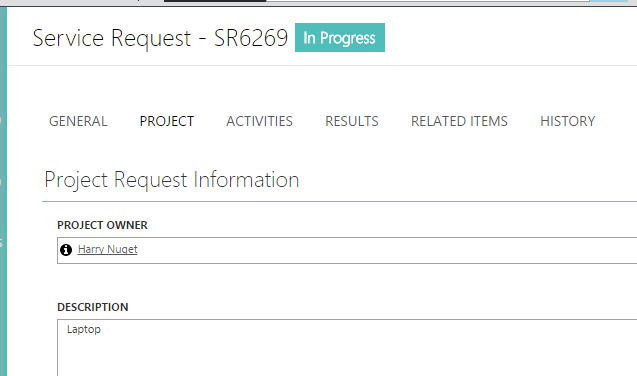
Quick one today. I ran into a bit of an issue when creating a new SR via an object projection and applying a template.
#projection setup
$TemplateObject = Get-SCSMObjectTemplate -Id $TemplateId
$TemplateMP = $TemplateObject.GetManagementPack()
$mpAlias = $TemplateMP.References.GetAlias((Get-SCSMManagementPack system.workitem.library))
foreach ($obj in $TemplateObject.ObjectCollection)
{
   fn_UpdatePropertyCollection -Object $obj -Alias $mpAlias
}

#get the new status for workflows
$statusNewEnum = Get-SCSMEnumeration ServiceRequestStatusEnum.New

$seedTypeSR = '^System.WorkItem.ServiceRequestProjection$'
$seedclassSR = Get-SCSMClass -Name System.WorkItem.ServiceRequest
$seedPropertyValuesSR = @{
CreatedDate = (Get-Date)
   Id = "SR{0}";
   Status = $statusNewEnum;
   Title = $afUser.DisplayName
}

$seedProjectionSR = @{
   __CLASS = "System.WorkItem.ServiceRequest"
   __OBJECT= $seedPropertyValuesSR
   CreatedBy = $AffectedUser
   AffectedUser = $AffectedUser
   AssignedTo = $AssignedUser
}

$newSrProjection = New-SCSMObjectProjection -Type $seedTypeSR -Projection $seedProjectionSR -Template $TemplateObject -PassThru -ErrorAction SilentlyContinue
When the template was applied it was overwriting my title. To remedy this, I had to dynamically modify the title within the template itself using this code:
#update the template title with the affected users displayname
foreach ($obj in $TemplateObject.PropertyCollection){
   if($obj.Path -like '*Title$'){
      $obj.MixedValue = $afUser.DisplayName + " - " + $obj.MixedValue
   }
}
Hope this helps someone else!
 Tech, Finance, and Automation